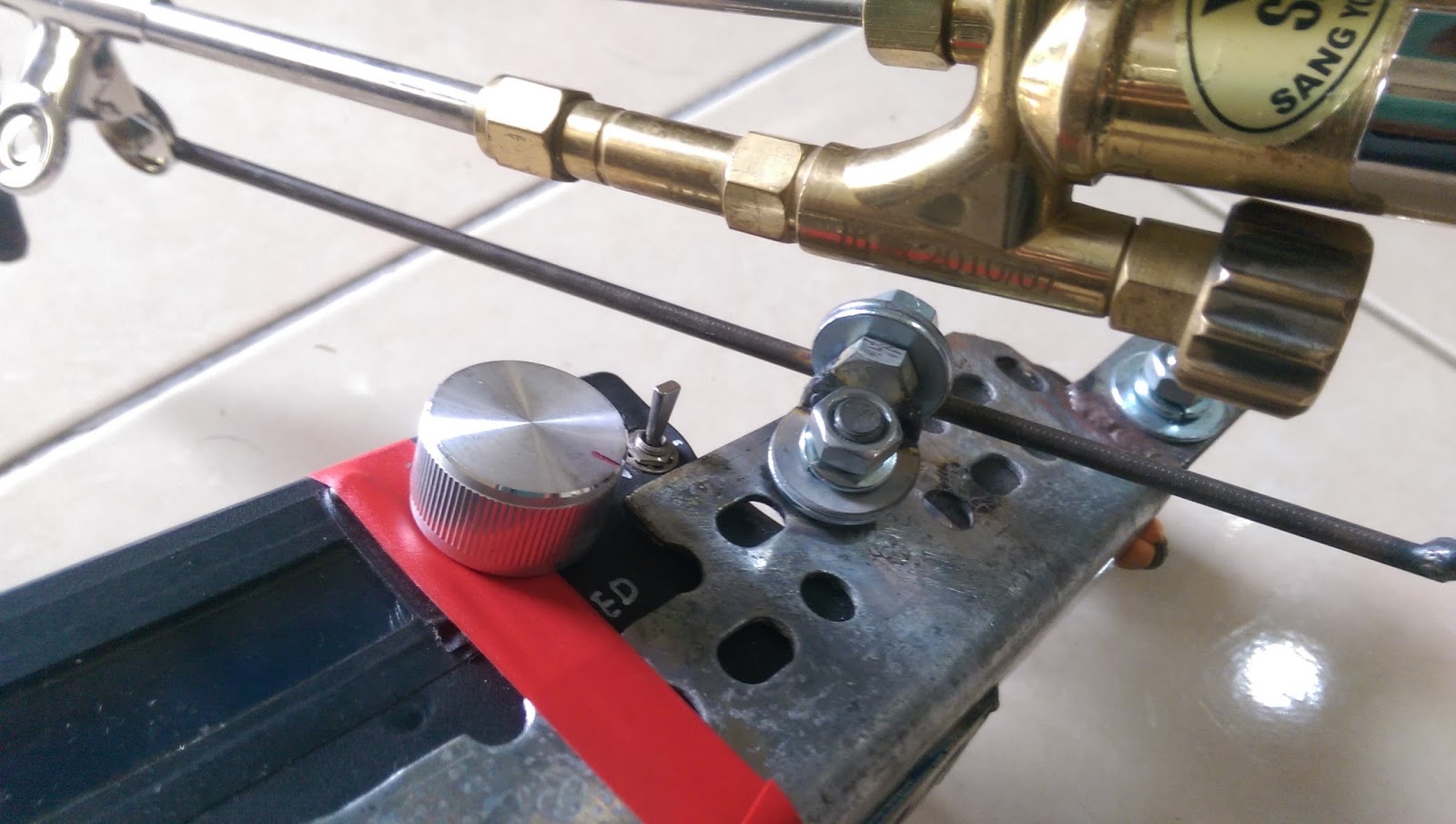
2017年1月19日 星期四

旋轉編碼器消除彈跳


/*
  RotaryEncoderInterrupt sketch
  2017-01-19 test OK
 */

const int encoderPinA = 2;
const int encoderPinB = 3;
int Pos, oldPos;
volatile int encoderPos = 0; // variables changed within interrupts are volatile

void setup(){
  pinMode(6, OUTPUT);  digitalWrite(6, LOW); //encoder Gnd
  pinMode(encoderPinA, INPUT_PULLUP);
  pinMode(encoderPinB, INPUT_PULLUP);
  Serial.begin(115200);
  attachInterrupt(1, doEncoder, CHANGE); // encoder pin on interrupt 0 (pin 3)
 // attachInterrupt(0, doEncoder, FALLING); // encoder pin on interrupt 0 (pin 2)
}

void loop(){
  uint8_t oldSREG = SREG;
  cli();  Pos = encoderPos;  SREG = oldSREG;  if(Pos != oldPos)
  {
    Serial.println(Pos,DEC);    oldPos = Pos;
  }
  delay(10);
}


void doEncoder(){
  if (digitalRead(encoderPinA) == digitalRead(encoderPinB))
    encoderPos++;    // count up if both encoder pins are the same
  else
    encoderPos--;    //count down if pins are different
}


接著發現一個狀況~~
若需設定的值範圍很大時不就要轉很久 ...

利用轉動速度快慢(偵測脈波寬度)的方式來決定增量的值


/*
  RotaryEncoderInterrupt sketch
  2017-01-20 test OK
 */

const int encoderPinA = 2;
const int encoderPinB = 3;
int Pos, oldPos;
unsigned long duration;
volatile int encoderPos = 0; // variables changed within interrupts are volatile

void setup(){
  pinMode(6, OUTPUT);  digitalWrite(6, LOW); //encoder Gnd
  pinMode(encoderPinA, INPUT_PULLUP);
  pinMode(encoderPinB, INPUT_PULLUP);
  Serial.begin(115200);
  attachInterrupt(1, doEncoder, CHANGE); // encoder pin on interrupt 0 (pin 3)
 // attachInterrupt(0, doEncoder, FALLING); // encoder pin on interrupt 0 (pin 2)
}

void loop(){
  uint8_t oldSREG = SREG;
  cli();  Pos = encoderPos;  SREG = oldSREG;  if(Pos != oldPos){
    Serial.print(Pos,DEC); 
    Serial.print(",   Pulse Width /nS :");
    Serial.println(duration,DEC); 
    oldPos = Pos;
  }
  delay(10);
  duration = pulseIn(encoderPinA, HIGH,100000);
}


void doEncoder(){
  if (digitalRead(encoderPinA) == digitalRead(encoderPinB)){
    if(duration == 0 || duration >= 35001)encoderPos++;
    if(duration >= 1 && duration <= 35000)encoderPos += 20;
    if(duration >= 1 && duration <= 10000)encoderPos += 80;
  }   
  else{
    if(duration == 0 || duration >= 35001)encoderPos--;
    if(duration >= 1 && duration <= 35000)encoderPos -= 20;
    if(duration >= 1 && duration <= 10000)encoderPos -= 80;
     }
}


 轉一格有 1個訊號
//2018-06-26 test OK 


volatile long posCount = 0;
unsigned long t = 0;

void setup() {
  Serial.begin(115200);
  // 當狀態下降時,代表旋轉編碼器被轉動了
  attachInterrupt(1, rotaryEncoderChanged, FALLING);  //INT 1 -> pin 3
  pinMode(3, INPUT_PULLUP); // 輸入模式並啟用內建上拉電阻
  pinMode(4, INPUT_PULLUP); 
  pinMode(5, INPUT_PULLUP); 
  Serial.println("count reset to 0");
}

long position  = -999;
word position1,newPos1;


void loop() {
//delay(500);  
if (posCount != position) {
 position = posCount;
 Serial.println(position);
}

  if(digitalRead(5) == LOW){ // 按下開關,歸零
     posCount = 0;  
     delay(300);
  }
}


void rotaryEncoderChanged(){ // when CLK_PIN is FALLING
//  unsigned long temp = millis();  // 去彈跳
//  if(temp - t < 20)               // 去彈跳
//    return;                       // 去彈跳
//  t = temp;                       // 去彈跳
  
  // DT_PIN的狀態代表正轉或逆轉
  posCount += digitalRead(4) == HIGH ? 1 : -1;
 // Serial.println(count);
}


可以不使用中斷的 Library  ->   https://github.com/PaulStoffregen/Encoder
轉一格有 4個訊號


2016年12月6日 星期二

ESP8266 + PCD8544(Nokia 5110 LCD)

先安裝這兩個library

https://github.com/WereCatf/Adafruit-PCD8544-Nokia-5110-LCD-library 

https://github.com/adafruit/Adafruit-GFX-Library 

示範文件有誤需修改

// If using an ESP8266, use this option. Comment out the other options.
// ESP8266 Hardware SPI (faster, but must use certain hardware pins):
// SCK is LCD serial clock (SCLK) - this is pin 14 on Huzzah ESP8266
// MOSI is LCD DIN - this is pin 13 on an Huzzah ESP8266
// pin 12 - Data/Command select (D/C) on an Huzzah ESP8266
// pin 4 - LCD chip select (CS)
// pin 5 - LCD reset (RST)

Adafruit_PCD8544 display = Adafruit_PCD8544(12, 4, 5);  // Pin  D/C , CE , RST

37行註解掉,使用第87行


//text demo
  display.clearDisplay();
  display.setCursor(0, 0);
  display.print("Connected to SSID:");
  display.println(ssid);
  display.print("IP address:");
  display.println(WiFi.localIP());

  display.display();    //將訊息傳送到LCD


PS:  第 124行對比度調太低(40)某些LCD會顯示不出畫面


=============demo=========================

/*********************************************************************
This is an example sketch for our Monochrome Nokia 5110 LCD Displays

  Pick one up today in the adafruit shop!
  ------> http://www.adafruit.com/products/338

These displays use SPI to communicate, 4 or 5 pins are required to
interface

Adafruit invests time and resources providing this open source code,
please support Adafruit and open-source hardware by purchasing
products from Adafruit!

Written by Limor Fried/Ladyada  for Adafruit Industries.
BSD license, check license.txt for more information
All text above, and the splash screen must be included in any redistribution
*********************************************************************/

#include <SPI.h>
#include <Adafruit_GFX.h>
#include <Adafruit_PCD8544.h>

// Software SPI (slower updates, more flexible pin options):
// pin 7 - Serial clock out (SCLK)
// pin 6 - Serial data out (DIN)
// pin 5 - Data/Command select (D/C)
// pin 4 - LCD chip select (CS)
// pin 3 - LCD reset (RST)
//Adafruit_PCD8544 display = Adafruit_PCD8544(7, 6, 5, 4, 3);

// Hardware SPI (faster, but must use certain hardware pins):
// SCK is LCD serial clock (SCLK) - this is pin 13 on Arduino Uno
// MOSI is LCD DIN - this is pin 11 on an Arduino Uno
// pin 5 - Data/Command select (D/C)
// pin 15 - LCD chip select (CS)
// pin 4 - LCD reset (RST)
Adafruit_PCD8544 display = Adafruit_PCD8544(5, 15, 4);
// Note with hardware SPI MISO and SS pins aren't used but will still be read
// and written to during SPI transfer.  Be careful sharing these pins!

/******************************************************************
ESP8266 with PCD8544 display

== Parts ==

* Adafruit Huzzah ESP8266 https://www.adafruit.com/products/2471

* Adafruit PCD8544/5110 display https://www.adafruit.com/product/338

* Adafruit USB to TTL serial cable https://www.adafruit.com/products/954

== Connection ==

USB TTL     Huzzah      Nokia 5110  Description
            ESP8266     PCD8544

            GND         GND         Ground
            3V          VCC         3.3V from Huzzah to display
            14          CLK         Output from ESP SPI clock
            13          DIN         Output from ESP SPI MOSI to display data input
            12          D/C         Output from display data/command to ESP
            #5          CS          Output from ESP to chip select/enable display
            #4          RST         Output from ESP to reset display
                        LED         3.3V to turn backlight on

GND (blk)   GND                     Ground
5V  (red)   V+                      5V power from PC or charger
TX  (green) RX                      Serial data from IDE to ESP
RX  (white) TX                      Serial data to ESP from IDE
******************************************************************/

// ESP8266 Software SPI (slower updates, more flexible pin options):
// pin 14 - Serial clock out (SCLK)
// pin 13 - Serial data out (DIN)
// pin 12 - Data/Command select (D/C)
// pin 5 - LCD chip select (CS)
// pin 4 - LCD reset (RST)
//Adafruit_PCD8544 display = Adafruit_PCD8544(14, 13, 12, 5, 4);

// If using an ESP8266, use this option. Comment out the other options.
// ESP8266 Hardware SPI (faster, but must use certain hardware pins):
// SCK is LCD serial clock (SCLK) - this is pin 14 on Huzzah ESP8266
// MOSI is LCD DIN - this is pin 13 on an Huzzah ESP8266
// pin 12 - Data/Command select (D/C) on an Huzzah ESP8266
// pin 5 - LCD chip select (CS)
// pin 4 - LCD reset (RST)
//Adafruit_PCD8544 display = Adafruit_PCD8544(12, 5, 4);

#define NUMFLAKES 10
#define XPOS 0
#define YPOS 1
#define DELTAY 2


#define LOGO16_GLCD_HEIGHT 16
#define LOGO16_GLCD_WIDTH  16

static const unsigned char PROGMEM logo16_glcd_bmp[] =
{ B00000000, B11000000,
  B00000001, B11000000,
  B00000001, B11000000,
  B00000011, B11100000,
  B11110011, B11100000,
  B11111110, B11111000,
  B01111110, B11111111,
  B00110011, B10011111,
  B00011111, B11111100,
  B00001101, B01110000,
  B00011011, B10100000,
  B00111111, B11100000,
  B00111111, B11110000,
  B01111100, B11110000,
  B01110000, B01110000,
  B00000000, B00110000 };

void setup()   {
  Serial.begin(9600);

  display.begin();
  // init done

  // you can change the contrast around to adapt the display
  // for the best viewing!
  display.setContrast(50);

  display.display(); // show splashscreen
  delay(2000);
  display.clearDisplay();   // clears the screen and buffer

  // draw a single pixel
  display.drawPixel(10, 10, BLACK);
  display.display();
  delay(2000);
  display.clearDisplay();

  // draw many lines
  testdrawline();
  display.display();
  delay(2000);
  display.clearDisplay();

  // draw rectangles
  testdrawrect();
  display.display();
  delay(2000);
  display.clearDisplay();

  // draw multiple rectangles
  testfillrect();
  display.display();
  delay(2000);
  display.clearDisplay();

  // draw mulitple circles
  testdrawcircle();
  display.display();
  delay(2000);
  display.clearDisplay();

  // draw a circle, 10 pixel radius
  display.fillCircle(display.width()/2, display.height()/2, 10, BLACK);
  display.display();
  delay(2000);
  display.clearDisplay();

  testdrawroundrect();
  delay(2000);
  display.clearDisplay();

  testfillroundrect();
  delay(2000);
  display.clearDisplay();

  testdrawtriangle();
  delay(2000);
  display.clearDisplay();
   
  testfilltriangle();
  delay(2000);
  display.clearDisplay();

  // draw the first ~12 characters in the font
  testdrawchar();
  display.display();
  delay(2000);
  display.clearDisplay();

  // text display tests
  display.setTextSize(1);
  display.setTextColor(BLACK);
  display.setCursor(0,0);
  display.println("Hello, world!");
  display.setTextColor(WHITE, BLACK); // 'inverted' text
  display.println(3.141592);
  display.setTextSize(2);
  display.setTextColor(BLACK);
  display.print("0x"); display.println(0xDEADBEEF, HEX);
  display.display();
  delay(2000);

  // rotation example
  display.clearDisplay();
  display.setRotation(1);  // rotate 90 degrees counter clockwise, can also use values of 2 and 3 to go further.
  display.setTextSize(1);
  display.setTextColor(BLACK);
  display.setCursor(0,0);
  display.println("Rotation");
  display.setTextSize(2);
  display.println("Example!");
  display.display();
  delay(2000);

  // revert back to no rotation
  display.setRotation(0);

  // miniature bitmap display
  display.clearDisplay();
  display.drawBitmap(30, 16,  logo16_glcd_bmp, 16, 16, 1);
  display.display();

  // invert the display
  display.invertDisplay(true);
  delay(1000); 
  display.invertDisplay(false);
  delay(1000); 

  // draw a bitmap icon and 'animate' movement
  testdrawbitmap(logo16_glcd_bmp, LOGO16_GLCD_WIDTH, LOGO16_GLCD_HEIGHT);
}


void loop() {
  
}


void testdrawbitmap(const uint8_t *bitmap, uint8_t w, uint8_t h) {
  uint8_t icons[NUMFLAKES][3];
  randomSeed(666);     // whatever seed

  // initialize
  for (uint8_t f=0; f< NUMFLAKES; f++) {
    icons[f][XPOS] = random(display.width());
    icons[f][YPOS] = 0;
    icons[f][DELTAY] = random(5) + 1;
    
    Serial.print("x: ");
    Serial.print(icons[f][XPOS], DEC);
    Serial.print(" y: ");
    Serial.print(icons[f][YPOS], DEC);
    Serial.print(" dy: ");
    Serial.println(icons[f][DELTAY], DEC);
  }

  while (1) {
    // draw each icon
    for (uint8_t f=0; f< NUMFLAKES; f++) {
      display.drawBitmap(icons[f][XPOS], icons[f][YPOS], logo16_glcd_bmp, w, h, BLACK);
    }
    display.display();
    delay(200);
    
    // then erase it + move it
    for (uint8_t f=0; f< NUMFLAKES; f++) {
      display.drawBitmap(icons[f][XPOS], icons[f][YPOS],  logo16_glcd_bmp, w, h, WHITE);
      // move it
      icons[f][YPOS] += icons[f][DELTAY];
      // if its gone, reinit
      if (icons[f][YPOS] > display.height()) {
icons[f][XPOS] = random(display.width());
icons[f][YPOS] = 0;
icons[f][DELTAY] = random(5) + 1;
      }
    }
   }
}


void testdrawchar(void) {
  display.setTextSize(1);
  display.setTextColor(BLACK);
  display.setCursor(0,0);

  for (uint8_t i=0; i < 168; i++) {
    if (i == '\n') continue;
    display.write(i);
    //if ((i > 0) && (i % 14 == 0))
      //display.println();
  }    
  display.display();
}

void testdrawcircle(void) {
  for (int16_t i=0; i<display.height(); i+=2) {
    display.drawCircle(display.width()/2, display.height()/2, i, BLACK);
    display.display();
  }
}

void testfillrect(void) {
  uint8_t color = 1;
  for (int16_t i=0; i<display.height()/2; i+=3) {
    // alternate colors
    display.fillRect(i, i, display.width()-i*2, display.height()-i*2, color%2);
    display.display();
    color++;
  }
}

void testdrawtriangle(void) {
  for (int16_t i=0; i<min(display.width(),display.height())/2; i+=5) {
    display.drawTriangle(display.width()/2, display.height()/2-i,
                     display.width()/2-i, display.height()/2+i,
                     display.width()/2+i, display.height()/2+i, BLACK);
    display.display();
  }
}

void testfilltriangle(void) {
  uint8_t color = BLACK;
  for (int16_t i=min(display.width(),display.height())/2; i>0; i-=5) {
    display.fillTriangle(display.width()/2, display.height()/2-i,
                     display.width()/2-i, display.height()/2+i,
                     display.width()/2+i, display.height()/2+i, color);
    if (color == WHITE) color = BLACK;
    else color = WHITE;
    display.display();
  }
}

void testdrawroundrect(void) {
  for (int16_t i=0; i<display.height()/2-2; i+=2) {
    display.drawRoundRect(i, i, display.width()-2*i, display.height()-2*i, display.height()/4, BLACK);
    display.display();
  }
}

void testfillroundrect(void) {
  uint8_t color = BLACK;
  for (int16_t i=0; i<display.height()/2-2; i+=2) {
    display.fillRoundRect(i, i, display.width()-2*i, display.height()-2*i, display.height()/4, color);
    if (color == WHITE) color = BLACK;
    else color = WHITE;
    display.display();
  }
}
   
void testdrawrect(void) {
  for (int16_t i=0; i<display.height()/2; i+=2) {
    display.drawRect(i, i, display.width()-2*i, display.height()-2*i, BLACK);
    display.display();
  }
}

void testdrawline() {  
  for (int16_t i=0; i<display.width(); i+=4) {
    display.drawLine(0, 0, i, display.height()-1, BLACK);
    display.display();
  }
  for (int16_t i=0; i<display.height(); i+=4) {
    display.drawLine(0, 0, display.width()-1, i, BLACK);
    display.display();
  }
  delay(250);
  
  display.clearDisplay();
  for (int16_t i=0; i<display.width(); i+=4) {
    display.drawLine(0, display.height()-1, i, 0, BLACK);
    display.display();
  }
  for (int8_t i=display.height()-1; i>=0; i-=4) {
    display.drawLine(0, display.height()-1, display.width()-1, i, BLACK);
    display.display();
  }
  delay(250);
  
  display.clearDisplay();
  for (int16_t i=display.width()-1; i>=0; i-=4) {
    display.drawLine(display.width()-1, display.height()-1, i, 0, BLACK);
    display.display();
  }
  for (int16_t i=display.height()-1; i>=0; i-=4) {
    display.drawLine(display.width()-1, display.height()-1, 0, i, BLACK);
    display.display();
  }
  delay(250);

  display.clearDisplay();
  for (int16_t i=0; i<display.height(); i+=4) {
    display.drawLine(display.width()-1, 0, 0, i, BLACK);
    display.display();
  }
  for (int16_t i=0; i<display.width(); i+=4) {
    display.drawLine(display.width()-1, 0, i, display.height()-1, BLACK); 
    display.display();
  }
  delay(250);

}

2016年11月12日 星期六

ESP8266 設備狀態監視 + 紀錄 + 網路斷線後重開指定設備(ADSL)


 ESP8266 偵測 網路斷線  後重開設備 + Thingspeak狀態監視 及 紀錄

算是這一篇的軟體升級版本XD


**  紅色字體部分請依現場環境修改 **


/*

 for  arduinoIDE 1.6.12 支援 ADC_MODE(ADC_VCC 但檔案目錄不支援中文,否則會檢查編譯錯誤
2016-11-12 by yulie~

使用第2腳控制繼電器時,於上傳程式當下必須將第2腳斷開,否則無法上傳程式

   2016-10-03 簡化程式碼,增加被測裝置數量
   2016-09-27 功能測試完成


  定義update區域欄位
  1:  0=loss, 1=Device Active,  2= local boot
  2:  0=loss, 1=Device Active,  2= local boot
  3:  0=loss, 1=Device Active,  2= local boot
  4:  0=loss, 1=Device Active,  2= local boot

  6: reboot count
  7: Wi-Fi Fail count
  8: ESP8266 Core Volt
  thingspeak Server 只傳單一區域值第一筆之後的資料沒辦法再進資料庫
  reedited for ESP8266 2016-09-17 by yulie~
  H/W ESP8266
  Network  service  check ipaddress & port
  2015-07-26 by yulie~
*/
word chkTime  =  60;           // Sec 檢測連狀態間隔時間
byte actTime  =  60;           //  次  檢測連狀態正常達該次數後發 Active 紀錄 dev0 or dev1
byte wait     =   5;           //  次  檢測連線狀態失敗達該次數後關電重啟 only dev0
word wifiFail = 300;           // Sec Wi-Fi connect fail  Reboot wait time
byte off_time =   8;           // Sec   設備斷電秒數
byte Relay_1  =  14;           // 使用第14腳控制繼電器
byte LED      =  16;           // 使用第16腳控LED
#include <ESP8266WiFi.h>


#define SSID "****"          // 無線網路連線名稱
#define PASS "******" // 無線網路連線密碼
char ip_1[] = "www.google.com"; word port_1 = 80;  // 被檢查ip位址 & port
char ip_2[] = "192.168.1.31";   word port_2 = 80;  // 被檢查ip位址 & port
char ip_3[] = "192.168.1.32";   word port_3 = 80;  // 被檢查ip位址 & port
char ip_4[] = "192.168.1.52";   word port_4 = 80;  // 被檢查ip位址 & port

char serverIP[] = "api.thingspeak.com"; word serverPort = 80;
const String GET = "GET /update?key=******************"; //ID for 網路設備重開記錄
unsigned long t, u, v, w = 0;
byte actCoun, devFail, status_1, status_1a, status_2, status_2a, status_3, status_3a, status_4, status_4a;;
word WiFi_fail, reboot_count;
ADC_MODE(ADC_VCC);                  //for core voltage

void setup() {
  t, u, v, w = millis();
  Serial.begin(115200); Serial.print("Connect to Wi-Fi : ");
  Serial.println("."); Serial.println("start setup ...");
  pinMode(Relay_1, OUTPUT); pinMode(LED, OUTPUT);
  for (byte i = 0; i < 6; i++) {
    digitalWrite(LED, HIGH); delay(500); digitalWrite(LED, LOW); delay(500);
  }

  WiFi.mode(WIFI_STA);                          // Connecting to a WiFi network
  Serial.print("Connect to Wi-Fi :  ");
  Serial.println( SSID );
  WiFi.begin( SSID, PASS );                     //Connect to Wi-Fi
  updata(2, 2, 2, 2, 2, 0, 0);                  //開機信息為 2,2,0,0
  float voltaje = ESP.getVcc();
  Serial.print(voltaje / 1024);
  Serial.println(" V");
}

void loop() {
  while ( WiFi.status() != WL_CONNECTED )           // 持續等待並連接到指定的 WiFi SSID
  { // 如果連線AP 失敗時執行這一段程式
    Serial.print( "Wi-Fi failed count : " );
    delay(1000);
    WiFi_fail++;
    WiFi_fail = constrain ( WiFi_fail, 0, 65534);   //  限制該值在0~100 之間
    Serial.println(WiFi_fail);
    if (WiFi_fail >= wifiFail) {                    //connect Wifi fail over 3min Run
      rebootPower_1();
      WiFi_fail = 0;
    }
  }

  t = millis(); if (t - u > (chkTime * 1000)) {     //30000 mS on chk
    u = millis();
    actCoun++;
    Serial.println(" ");
    status_1 =  chkdev(ip_1, port_1);
    status_2 =  chkdev(ip_2, port_2);
    status_3 =  chkdev(ip_3, port_3);
    status_4 =  chkdev(ip_4, port_4);
    if (status_1 == 1)digitalWrite(LED, HIGH);
    if (status_1 == 0)digitalWrite(LED, LOW);

    //狀態改變時上傳
    if (status_1 !=  status_1a
        || status_2 !=  status_2a
        || status_3 !=  status_3a
        || status_4 !=  status_4a) {
      status_1a = status_1;                           //狀態更新,做為下一次狀態比較用
      status_2a = status_2;                           //狀態更新,做為下一次狀態比較用
      status_3a = status_3;                           //狀態更新,做為下一次狀態比較用
      status_4a = status_4;                           //狀態更新,做為下一次狀態比較用
      if ( status_1 == 1 )updata(status_1, status_2, status_3, status_4, 0, reboot_count, WiFi_fail);
    }

    if (status_1 == 1) devFail = 0;           //斷線計數歸零
    else {
      devFail++;                              //裝置斷線計數,給重開設備判斷用
      actCoun = 0;
    }

    // device 0 or device 1  每60次傳送一次存活信息
    if (actCoun >= actTime )updata(status_1, status_2, status_3, status_4, 0, reboot_count, WiFi_fail);

    //裝置矢聯達指定次數則啓動繼電器關機重開
    if (devFail >= wait) {
      rebootPower_1();
      devFail = 0;
    }
    //showCount();  //for debug
    //reboot_count != 0 or WiFi_fail != 0 and connect OK send infomation...
    if ((reboot_count != 0 || WiFi_fail != 0) && status_1 == 1) updata(status_1, status_2, status_3, status_4, 0, reboot_count, WiFi_fail);
  }
}

//-------------------------------------------------------------------------------void updata()
word updata(word field1, word field2, word field3, word field4, word field5, word field6, word field7) {
  float voltaje = ESP.getVcc(); voltaje = voltaje / 1024;
  WiFiClient client;
  if (client.connect(serverIP, serverPort)) {
    String getStr = GET +
                    "&field1=" + String((float)field1, 0) +     // active 01
                    "&field2=" + String((float)field2, 0) +     // active 02
                    "&field3=" + String((float)field3, 0) +     // active 03
                    "&field4=" + String((float)field4, 0) +     // active 04
                    "&field5=" + String((float)field5, 0) +     // active 05
                    "&field6=" + String((float)field6, 0) +     // reboot_count
                    "&field7=" + String((float)field7, 0) +     // WiFi_X_count
                    "&field8=" + String((float)voltaje, 2) +    // Chip Vcc
                    " HTTP/1.1\r\n";;
    client.print( getStr );
    client.print( "Host: api.thingspeak.com\n" );
    client.print( "Connection: close\r\n\r\n" );
    delay(10);
    // 處理遠端伺服器回傳的訊息,程式碼可以寫在這裡!
    Serial.println(getStr);
    client.stop();
    actCoun = 0;      //如果狀態傳送就將先前的存活計數歸零
    WiFi_fail  = 0;
    reboot_count = 0;
  }
  else {                               //連線失敗執行此段程式
    Serial.print(ip_1); Serial.print(" : "); Serial.print(port_1); Serial.println(" ThingSpeak Server disconnection  ---- X  ");
  }
  client.stop();
}

//------------------------------------------------------------------------------- check device
byte chkdev(char* IP, word PORT) {
  WiFiClient client;
  if (client.connect(IP, PORT)) {    //連線成功執行此段程式
    Serial.print(IP); Serial.print(" : "); Serial.print(PORT); Serial.println(" check device  connected ");
    return 1;
  }
  else {                               //連線失敗執行此段程式
    Serial.print(IP); Serial.print(" : "); Serial.print(PORT); Serial.println(" check device  disconnection  ---- X  ");
    return 0;
  }
}

//-------------------------------------------------------------------------------status_1, status_2
void showCount() {   //for debug
  Serial.print("status_1 : "); Serial.println(status_1);   Serial.print("status_2 : "); Serial.println(status_2);
  Serial.print("WiFi_fail : ");  Serial.println(WiFi_fail);  Serial.print("reboot_count : "); Serial.println(reboot_count);
  uint32_t getVcc = ESP.getVcc();  float voltaje = ESP.getVcc();  Serial.println("core Volt : "); Serial.print(voltaje / 1024);
  Serial.println(" V");
}

//-------------------------------------------------------------------------------void rebootPower_1()
void rebootPower_1() {
  digitalWrite(Relay_1, HIGH); // Relay N.C connect (device power down)
  Serial.print("power down~  Wait  "); Serial.print(off_time); Serial.println(" Sec ..");
  delay(off_time * 1000);          //device power down 5 sec
  digitalWrite(Relay_1, LOW);
  Serial.println("power up");
  reboot_count++;
}


2016年7月2日 星期六

火焰切圓機


純手工割過一次後嚇壞我了...是的..我很弱


只好想想辦法讓自己輕鬆一些了


新增說明文字


/*
   2016-03-24 for gus cuting set 0-100 step
   2016-02-09 toneAC library & H/W pin ghange, pow add (Range 0~max_speed )
    2016-02-03 優化參數
    2016-01-21 增加充電迴路指示
    2016-01-12 onboard try ok by yulie~
*/
const int max_speed = 6000;  // set max step /sec
const int min_speed = 0;    // set min step
const byte sw_F = 17;       //pin a3
const byte sw_R = 16;       //pin a2
const byte ms1 = 12;        //  (1) seepper /2
const byte ms2 = 11;        //  (1) stepper /4  ( ms1(1) + ms2(1) stepper /8 )
const byte rst = 7;         //
const byte slp = 8;         //  pin      A4988 sleep(0) & unlock motor
const byte stp = 9;         //  pin
const byte dir = 6;         //  pin
long int v1 = 0;
unsigned long t, u, v, w = 0;


#include <Wire.h>
#include <toneAC.h>
/* Pins 9 & 10 - ATmega328, ATmega128, ATmega640, ATmega8, Uno, Leonardo, etc.
    Syntax
  toneAC( frequency [, volume [, length [, background ]]] ) - Play a note.
  frequency - Play the specified frequency indefinitely, turn off with toneAC().
  volume - [optional] Set a volume level. (default: 10, range: 0 to 10 [0 = off])
  length - [optional] Set the length to play in milliseconds. (default: 0 [forever], range: 0 to 2^32-1)
  background - [optional] Play note in background or pause till finished? (default: false, values: true/false)
  toneAC() - Stop output.
  noToneAC() - Same as toneAC().
 *  * 句法
  toneAC(頻率[,音量[,長度[背景]]]) - 彈奏音符。
  頻率 -播放特定頻率無止境,隨著toneAC關閉()。
  音量 - [可選]設置音量。(默認值:10,範圍:0〜10 [0 =關閉])
  長度 - [可選]設置以毫秒為單位播放的長度。(默認:0 [永遠],範圍:0〜2 ^ 32-1)
  背景 - [可選]在後台播放音符或暫停,直到完成了嗎?(默認:FALSE,值:真/假)
  toneAC() -停止輸出。
  noToneAC() -同toneAC()
*/
#include <LiquidCrystal_I2C.h>
LiquidCrystal_I2C lcd(0x3f, 16, 2); // set the LCD address to 0x3f for a 16 chars and 2 line display
byte battery[8] = {B01110, B01010, B10001, B10001, B10001, B10001, B10001, B11111}; //for 2004 LCD show battery
byte battery_full[8] = {B01110, B01110, B11111, B11111, B11111, B11111, B11111, B11111}; //for 2004 LCD show battery
byte charg[8] = {B01010, B01010, B11111, B10001, B10001, B01010, B00100, B00100}; //for 2004 LCD show change jack

void setup()
{
  analogReference(DEFAULT);     //5v
  Serial.begin(9600);
  lcd.init();                   // initialize the lcd
  lcd.createChar(0, battery);   //battery address => byte(0)  command-> lcd.write(byte(0));
  lcd.createChar(1, battery_full);   //battery address => byte(0)  command-> lcd.write(byte(0));
  lcd.createChar(2, charg);

  lcd.backlight();
  pinMode(sw_F, INPUT_PULLUP);
  pinMode(sw_R, INPUT_PULLUP);
  pinMode(rst, OUTPUT);
  // pinMode(stp, OUTPUT);
  pinMode(dir, OUTPUT);
  pinMode(slp, OUTPUT);
  pinMode(ms1, OUTPUT);
  pinMode(ms2, OUTPUT);
  digitalWrite(rst, HIGH);

  digitalWrite(ms1, 1);  digitalWrite(ms2, 1);
  //ms1  ms2
  // 0    0  -> 360   1/1    200step=1rpm
  // 1    0  -> 180   1/2    400step=1rpm
  // 0    1  -> 90    1/4    800step=1rpm
  // 1    1  -> 45    1/8   1600step=1rpm
}

void loop()
{
  t = millis();  if (t - u >= 250) {
    int v0 = (analogRead(7));
    v1 = pow(1.8, ((v0 / 64.0) - 1));
    v1 = map(v1, 0, 6684, min_speed, max_speed);
    lcd.setCursor(7, 0);  lcd.print("Step:    ");
    lcd.setCursor(12, 0); lcd.print(v1);
    u = millis();
  }

  v = millis();  if (v - w >= 1000) {
    float v2 = (analogRead(6) * (5.0 / 1023) * 3) ;     //for battery monitor
    float v3 = (analogRead(1) * (5.0 / 1023) * 5.85) ;  //for charg monitor

    if (v3 >= 5.0) {
      lcd.setCursor(0, 1);  lcd.write(byte(2));         //show charg icon
      lcd.print(v3, 2); lcd.print("V ");
      if (v2 >= 8.6)lcd.write(byte(1));                 //show battery full icon
    }
    else {
      if (v2 < 4.6) {
        lcd.setCursor(0, 1);  lcd.print("USB link");
      } else {
        lcd.setCursor(0, 1);  lcd.write(byte(0)); lcd.print(v2, 2); lcd.print("V    ");
      }
    }
    w = millis();
  }

  if ((digitalRead(sw_F) == LOW) && (digitalRead(sw_R) == LOW ))  digitalWrite(slp, LOW);   //空檔
  else if ((digitalRead(sw_F) == HIGH) && (digitalRead(sw_R) == HIGH )) {
    digitalWrite(slp, LOW); //空檔
    lcd.setCursor(15, 1);  lcd.print("N");
  }
  else if (digitalRead(sw_F) == LOW) {
    lcd.setCursor(15, 1);  lcd.print("F");
    digitalWrite(slp, HIGH);
    digitalWrite(dir, HIGH);     //正轉
    toneAC( v1);
  }
  else if (digitalRead(sw_R) == LOW) {
    lcd.setCursor(15, 1);  lcd.print("R");
    digitalWrite(slp, HIGH);
    digitalWrite(dir, LOW);    //反轉
    toneAC( v1);
  }
}

//loop end~